
If you are stuck on this question, “Which laptop is best for office work?”. Here are some points to Learn, which help you to understand “which laptop is best for office work”, as you need. Let’s get started.
Table of Contents
Problem : You’re Stuck with the Wrong Laptop for Office Work
You turn on your laptop and before you’ve even opened your first spreadsheet or joined your morning Zoom call the fan is whirring like a jet engine. You switch between your browser, Excel and Slack and the system lags just enough to be annoying. The battery is draining fast and you’re plugged in again.
Sounds familiar?
Whether you’re in HR, finance, sales or any other office based profession a slow, poorly suited laptop is not just frustrating – it’s productivity draining. Office work today involves multitasking across multiple platforms, cloud based software, video conferencing and often remote collaboration. If your laptop can’t keep up your work suffers.
Most people buy a laptop based on price or brand without understanding what really matters for office tasks. And that’s the problem.
Let’s fix that.
Agitation : Why Most Office Laptops Fail You
If you’re thinking, “I just want to do my office work. I don’t need any powerful machines.”
So let’s understand this.
- Browser work (like Google Docs, Sheets or web-based CRM tools) eats up RAM fast. Chrome alone can use 1.5–2 GB RAM with just a few tabs open.
- Video conferencing apps like Zoom or Teams can use up to 2.5 GB RAM during long meetings.
- Spreadsheets with thousands of rows or pivot tables can be a barrier on low-end processors.
- And if you’re using Microsoft Teams and Outlook at the same time, expect more delays if your system isn’t optimized.
If you have an entry-level CPU (like Intel Celeron or AMD Athlon), 4 GB RAM, and a slow hard disk drive (HDD) instead of a solid-state drive (SSD), you’re basically setting yourself up for wasted hours every week.
That’s not even considering how poor battery life, bad keyboards, and overheating can make your daily work life more miserable.
Let’s put this in a Table:
| Problematic Spec | Real-World Consequence |
| 4 GB RAM | Freezes with 2+ apps open |
| HDD (vs SSD) | 2–4x slower boot and load times |
| Intel Celeron CPU | Struggles with multitasking |
| Low-res screen | Poor readability, eye fatigue |
| < 6-hour battery | Frequent recharging, less mobility |
Solution: Choose the Right Laptop Based on Actual Office Needs
Now let’s flip the script.
Choosing the right laptop for office work doesn’t mean buying the most expensive machine. It means selecting one that’s optimized, “which laptop is best for office work” for daily multitasking, video calls, document handling, and long battery life.
So what should you look for?
Here’s a checklist of ideal specs for office work in 2025:
| Component | Minimum Requirement | Recommended |
| CPU | Intel Core i5 (12th Gen) or AMD Ryzen 5 (5000 series or newer) | Intel Core i7 (13th Gen) or AMD Ryzen 7 |
| RAM | 8 GB DDR4 | 16 GB DDR4 or DDR5 |
| Storage | 256 GB SSD | 512 GB SSD (NVMe preferred) |
| Display | 13” to 15.6” FHD (1920×1080) | IPS panel, anti-glare |
| Battery Life | Minimum 8 hours | 10+ hours |
| Weight | Under 4 lbs (1.8 kg) | ~3 lbs ideal for portability |
| Ports | USB-C, USB-A, HDMI | SD card reader optional |
Now that we’ve nailed the requirements, let’s break down the top 5 laptops for office work in 2025 based on performance, value, and reliability.
Top 5 Laptops for Office Work in 2025 (with Pros & Cons)
1. Dell XPS 13 (2024 Model)
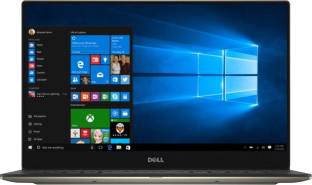
Specs:
- Intel Core i7-1360P
- 16 GB DDR3 RAM
- 512 GB PCIe NVMe SSD
- 13.4” FHD+ Display
- Approx. 2.59 lbs
- Battery life: ~12 hours
Why it works for office:
- Great multitasking performance
- Excellent battery life
- Compact and portable
- Premium build, solid keyboard
Watch out for:
- Fewer ports (USB-C only – adapters needed)
- Higher price (~$1,200+)
2. Lenovo IdeaPad Slim 1AMD Ryzen 5 Hexa core 5500u
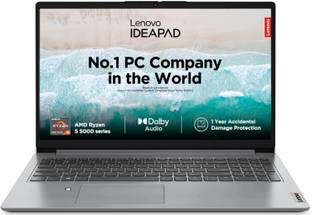
Specs (AMD variant):
- AMD Ryzen 5 Hexa Core Processor
- 16GB DDR4 RAM
- 512 GB SSD
- 16-inch Display
- Battery: ~9 hours
Why it works for office:
- Excellent keyboard (one of the best)
- Durable build quality
- Expandable RAM
- Great for spreadsheet-heavy tasks
Watch out for:
- Slightly heavier
- Bulkier design
3. Apple MacBook Air M2
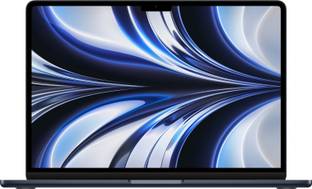
Specs:
- Apple M2 chip (8-core CPU)
- 8 GB Unified Memory (upgradeable to 16 GB)
- 256 GB SSD
- 13.6” Liquid Retina display
- Approx. 2.7 lbs
- Battery: ~15–18 hours
Why it works for office:
- Extremely efficient performance
- Silent (no fan)
- Long battery life
- Seamless app switching
Watch out for:
- Limited ports (no HDMI or SD card)
- Higher upgrade cost for storage/RAM
4. HP Pavilion Plus 14
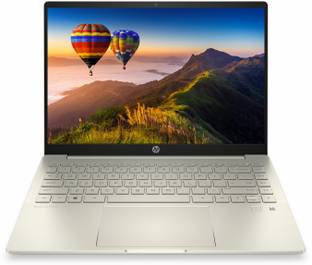
Specs:
- Intel Core i5 Processor (12th Gen)
- 16 GB DDR4 RAM
- 512 GB SSD
- 14 Inch Display
- Battery: ~8–10 hours
Why it works for office:
- Strong mid-range performance
- Affordable (~$750–$900)
- Modern design
- OLED version is great for visual work
Watch out for:
- OLED variant may reduce battery life
- Build quality not as premium as others
5. ASUS ZenBook 14 OLED (2024)
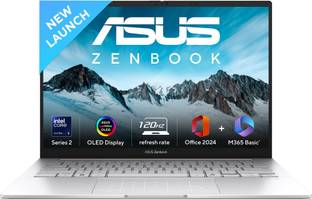
Specs:
- AMD Ryzen 7
- 16 GB RAM
- 1 TB SSD
- 14” 2.8K OLED
- Weight: ~3.1 lbs
- Battery: ~10 hours
Why it works for office:
- Excellent value-to-performance ratio
- Lightweight
- High-resolution screen for multitasking
- Strong battery backup
Watch out for:
- Not ideal for legacy ports (you’ll need dongles)
Key Considerations Before You Buy
Not all office workers need the same laptop. Here’s how to align your choice “which laptop is best for office work” with your actual role:
✅ General Admin/HR/Finance Roles
- Prioritize CPU (i5 or better), RAM (at least 8 GB), and SSD (256 GB minimum).
- A 14” or 15.6” screen is ideal for working with documents and spreadsheets.
- Recommended: Lenovo ThinkPad E16, HP Pavilion Plus 14
✅ Sales/Marketing Professionals
- Look for portability, webcam quality, and battery life.
- You’ll need a decent screen for presentations and good speakers/mic for Zoom calls.
- Recommended: Dell XPS 13, MacBook Air M2
✅ Executives/Frequent Travelers
- Lightweight, long battery, fast boot-up.
- Seamless performance and reliability are a must.
- Recommended: MacBook Air M2, ASUS ZenBook 14 OLED
✅ Data Analysts/Excel Power Users
- You’ll need a larger screen or external monitor support, faster CPUs, and more RAM.
- Expandability might also matter in this case.
Recommended: ThinkPad E16, ASUS ZenBook 14, is the best Recommendation for “which laptop is best for office work”.
Bonus: What to Avoid in 2025
Laptops with Only 4 GB RAM – Which Laptop Is Best for Office Work?
Even if the price looks attractive, 4 GB is no longer enough for basic office multitasking.
❌ HDD-Based Storage
Hard disk drives are 3–5 times slower than SSDs. Your system will be sluggish from boot to shut down.
❌ Outdated CPUs (e.g., Intel Celeron, Pentium)
These processors can’t handle modern office workloads effectively.
❌ 1366×768 Displays
This resolution makes multitasking harder and causes more eye strain.